Furthermore, smartphones are used as a means to save time. People now frequently use their phones to shop online, making online transactions more convenient. This is where mobile commerce, or mCommerce, plays a significant role in enhancing the ease of these transactions.
When it comes to eCommerce application development, determining the most effective strategy is a key concern. This article aims to provide you with fundamental factors to consider, steps to take, and tips to follow when deciding to enhance your eCommerce business with a robust mobile application.
Read on.
Why develop an eCommerce app?
The market for eCommerce apps is vast, and if you still have doubts about the need to develop one, here are some reasons to consider.
Mobile dominance
With the widespread use of smartphones, developing an eCommerce app allows you to tap into a vast market of mobile users. A mobile app provides a convenient and accessible platform for customers to browse and shop from anywhere at any time.
Enhanced user experience
An eCommerce app offers a tailored and optimized user experience compared to a responsive website. It allows you to design intuitive interfaces, provide personalized recommendations, and streamline the purchasing process, resulting in improved customer satisfaction.
Increased sales and revenue
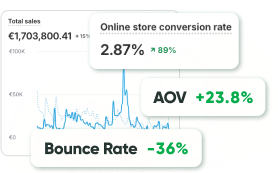
Studies have shown that mobile apps can drive higher conversion rates and average order values compared to mobile websites. By providing a seamless and immersive shopping experience, an eCommerce app can help boost sales and generate more revenue for your business.
Customer loyalty and engagement
A dedicated eCommerce app enables you to build stronger customer relationships by offering loyalty programs, personalized promotions, and push notifications. These features help engage customers, encourage repeat purchases, and foster brand loyalty.
Access to mobile-specific features
Mobile apps provide access to device-specific features such as push notifications, location-based services, and camera integration. Leveraging these capabilities can enhance the functionality of your eCommerce app and deliver unique features that are not easily achievable on a website.
Data and analytics
Developing an eCommerce app allows you to gather valuable data and analytics on user behavior, preferences, and purchasing patterns. This information can be leveraged to make data-driven decisions, optimize marketing strategies, and improve the overall performance of your eCommerce business.
Key features for your eCommerce app MVP
Let’s talk about essential features your eCommerce application should have on the stage of an MVP (Minimum Viable Product). We understand that your ultimate business goal is to have a robust and comprehensive app, but we believe in the power of starting small. By launching a MVP first, you can gather crucial insights, refine your concept, and ensure you’re on the right track.
Creating a Minimum Viable Product of an eCommerce app is a smart approach for several reasons:
- It allows you to test your product idea with minimal investment and risk. By developing a basic version of your app, you can gather valuable feedback from early users and identify potential improvements or additions.
- An MVP helps you validate your business model and market demand before committing to extensive development. It enables you to assess user engagement, gather analytics, and make data-driven decisions for future iterations.
- Launching an MVP quickly allows you to enter the market faster and gain a competitive advantage by capturing early adopters and generating initial revenue.
So, let’s dive in and explore the essential features that will set the foundation for your future success.
Authorization
The authorization feature is crucial for an eCommerce app as it ensures that only registered and authenticated users can access the platform. This feature typically includes options for user login, such as email and password or social media login integration. By implementing authorization, the app can provide a secure environment for users to engage in transactions and protect their personal information.
User profile
The user profile feature allows individuals to create and manage their personal accounts within the eCommerce app. It enables users to input and update their personal details, such as name, contact information, and delivery addresses. The user profile also facilitates order tracking, order history, and provides a centralized space for users to manage their preferences, such as notification settings and saved payment methods.
Search
The search feature is essential for an eCommerce app to enable users to find products or services quickly. It allows users to enter specific keywords or phrases related to the items they are looking for and retrieves relevant results from the app’s database. A robust search functionality enhances the user experience by saving time and improving overall customer satisfaction.
Filter
The filter feature complements the search functionality by allowing users to refine their search results based on specific criteria. Users can apply various filters, such as price range, brand, size, color, or any other relevant attributes, to narrow down their search and find the exact products they desire. Filters enhance the user’s ability to find products that align with their preferences and improve the efficiency of the shopping experience.
Payment system
The payment system is a critical component of any eCommerce app as it enables users to securely complete transactions. This feature typically supports multiple payment methods, such as credit cards, debit cards, digital wallets, or even cash on delivery, depending on the app’’s target market. A robust payment system should be integrated with a secure payment gateway to ensure the safety of users’ financial information.
Checkout process
The checkout process is the final step in an eCommerce app where users review their selected items, confirm the order, and proceed to payment. This feature includes a summary of the selected products, the ability to modify quantities or remove items, and prompts for shipping details. A smooth and intuitive checkout process is crucial for minimizing cart abandonment and ensuring a seamless experience for users. It should provide clear instructions, calculate accurate totals, and offer order confirmation with relevant details.
Additional Features for an Elevated Shopping Experience
After the MVP stage, there are several features that can be implemented to further enhance the shopping experience in an eCommerce app. These features aim to provide additional convenience, personalization, and engagement for users. Some of these features include:
Wishlist
The wishlist feature allows users to save products they are interested in for future reference. It enables users to create curated lists of desired items and provides a convenient way to track and compare products, making it easier to make purchasing decisions.
Reviews and ratings
Implementing a reviews and ratings feature enables users to share their opinions and experiences with products they have purchased. This feature helps other users make informed decisions by providing valuable insights and feedback. It also fosters trust and credibility within the app’s community.
Recommendations
By leveraging data analytics and machine learning algorithms, an eCommerce app can offer personalized product recommendations to users. These recommendations can be based on user browsing history, purchase patterns, and preferences, enhancing the shopping experience by showcasing relevant and interesting products.
Social sharing
Integrating social sharing features allows users to share products they like or have purchased on their social media platforms. This not only promotes the app and its products but also encourages user engagement and word-of-mouth marketing. It can also provide referral incentives to encourage users to share their experiences.
Real-time order tracking
Providing real-time order tracking allows users to monitor the status and progress of their orders. This feature offers transparency and peace of mind by keeping users informed about the estimated delivery time, shipment updates, and any potential delays, enhancing the overall customer experience.
Customer support
A robust customer support feature is essential for addressing user queries, concerns, and issues promptly. This can include options for live chat, email support, or even a dedicated helpline. Quick and efficient customer support helps build trust and loyalty among users, ensuring a positive shopping experience.
Push notifications
Implementing push notifications allows the app to send timely updates and alerts to users’ devices. It can be used to notify users about order status updates, price drops, restocked items, or personalized promotions. Push notifications help keep users engaged and informed, encouraging them to revisit the app and make purchases.
Google Analytics
Integrating Google Analytics provides valuable insights into user behavior, app performance, and conversion rates. It enables tracking of key metrics such as user engagement, traffic sources, and conversion funnels. By analyzing these data, businesses can make data-driven decisions to optimize their marketing strategies, improve user experience, and boost overall app performance.
Synchronization
Synchronization functionality ensures seamless data transfer and consistency across multiple devices. It allows users to access their account and preferences from various devices, such as smartphones, tablets, or computers. Synchronization enhances user convenience and flexibility by enabling uninterrupted shopping experiences, regardless of the device being used.
Delivery status
Including a delivery status feature enables users to track the progress of their orders in real-time. It provides users with updates on the shipment’s location, estimated delivery time, and any potential delays. This feature enhances transparency, instills confidence in the delivery process, and allows users to plan accordingly.
Buy Now, Pay Later (BNPL)
BNPL is a payment option that allows users to purchase items and defer the payment to a later date. By integrating BNPL services into the app, users can split their payments into installments or delay payment altogether, providing flexibility and affordability. This feature can attract a wider range of customers and increase conversion rates.
Pro tip: The inclusion or exclusion of various features from the aforementioned lists may vary depending on the specific objectives of the eCommerce app being developed. Moreover, you might want some exclusive features such as VR Try On or Live commerce. Therefore, when considering the creation of an eCommerce app, opting for custom mobile app development is consistently the most favorable approach. This ensures that the app is tailored to meet the unique requirements and goals, allowing for flexibility in selecting the features that align best with the app’s intended purpose.
8 Steps of eCommerce application development
The procedure of developing an eCommerce application follows a series of steps that are crucial for project success. These steps align closely with those followed during the development of a Minimum Viable Product (MVP).
Step 1. Defining app goals
The eCommerce app development journey begins by establishing clear goals that the app aims to achieve. These goals can be centered around product presentation, targeting specific customer segments, or addressing unmet needs. It’s essential to do research and identify the purpose of the app to make informed decisions throughout the development process.
Step 2. Identifying the target audience
Understanding the target audience is a crucial step in eCommerce app development. This involves not only defining the type of users but also considering their circumstances and device preferences. Knowing the target audience helps shape the app’s features and branding to create a tailored experience.
Step 3. Determining essential features
At this stage, it is important to identify the core features that the app should include. While there are standard features for eCommerce apps, customizing the experience with unique functionalities is also important. This step also involves designing the user interface, menus, and panels to ensure a seamless and intuitive user experience. The complexity and extent of these features will impact the development timeline.
Step 4. Technology selection
Before embarking on eCommerce application development, it is essential to familiarize yourself with the intricacies of your business. This knowledge will help you make informed decisions about the technology stack. Consider factors such as development costs, inventory management, and choose the appropriate CMS, database, and a scalable framework.
Once you have a clear understanding of your business, you can determine whether you should launch an Android app, an iOS app, or both, based on the platform that aligns with your target audience.
The tech stack is a crucial aspect in transforming a brilliant idea into a successful product. The tech stack encompasses various components, including the frontend (app interface), backend (server-side processing), development platform (libraries and interfaces), and supporting technologies (ensuring app security and performance). For instance, when building an Android eCommerce app, you should consider the programming language (Java/Kotlin), development tools (Android Studio), UI framework (Jetpack Compose), and Android UI.
Similarly, for iOS development, factors to consider include the programming language (Objective-C or Swift), iOS development tools (XCode, AppCode), and UI frameworks (UIKit or SwiftUI). In the case of cross-platform apps, the programming tools available include React Native (JS), Flutter (Dart), and Xamarin (C#).
Step 5. Creating UX & UI design
Developing the UX and UI design for your eCommerce app is an opportunity to distinguish yourself from traditional in-person shopping experiences. Design plays a crucial role in representing your brand’s voice and identity to your target customers. Elements such as color schemes, visually appealing graphics, and seamless page transitions contribute to creating a memorable and impactful impression on your customers.
Step 6. Development of minimum requirements
Once the development team is assembled, the app development process begins. It is advisable to follow an incremental development approach, continuously testing and refining the app along the way. This iterative process leads to the creation of an MVP that encompasses the minimum features necessary for the app to function effectively. Even with a limited feature set, it’s important to ensure the highest level of polish and quality.
Step 7. Publishing and marketing
After the completion of the MVP, the app can be published and made available to users. Depending on the target platforms (e.g., iOS, Android), the app should be submitted to the respective app stores (e.g., App Store, Play Store). It’s essential to follow the submission guidelines and review processes of the app stores. Additionally, effective marketing strategies should be employed to promote the app and attract users.
Step 8. Continuous improvement
Mobile commerce app development is an ongoing process that requires continual updates based on user feedback. Gathering and analyzing user feedback helps identify areas for improvement and new feature requests. Regular updates and enhancements not only meet user expectations but also encourage user retention and further business growth.
Key considerations of eCommerce application development
During the app development process, there are specific considerations that require special attention, and the development of an eCommerce app is no exception. Here are the aspects to keep in mind when developing an eCommerce app:
#1 Data security
When users sign in to your eCommerce mobile app, they entrust you with their personal information, such as home address and credit card details. It is crucial to prioritize the protection of their data from unauthorized usage. To achieve this, you can take the following steps:
- Use a private cloud that ensures a secure storage environment for user information
- Define access rules, allowing certain services only for premium subscription users
- Implement an alarm system to promptly identify and respond to potential threats
#2 Scalability
It is essential to design your app to be scalable and capable of accommodating a growing user base. While scalability may not seem like an immediate concern during the initial stages of eCommerce app development, it is crucial to forecast and plan for future growth. Consider the app’s architecture and scalability requirements from the beginning to ensure a seamless user experience as your user base expands.
#3 Stability
An unstable app with frequent crashes can significantly impact user satisfaction and retention. To achieve stability in your app’s performance, you should:
- Conduct thorough QA tests to identify and address any issues or bugs
- Iterate on the product based on user feedback to improve stability
- Release regular updates that fix known issues and enhance the app’s performance
By prioritizing data security, scalability, and stability during the development of your eCommerce app, you can create a robust and reliable platform that safeguards user information, accommodates growth, and provides a seamless experience for users.
Final word
eCommerce application development is a complex and dynamic process that requires careful planning, consideration of user needs, and technological expertise. By following a systematic approach, you can create a robust eCommerce app that will serve a solid foundation for success. With a well-executed eCommerce app, you can thrive in the digital landscape and deliver exceptional shopping experiences that delight customers and drive sustainable growth.