Design sets the tone for your sales. In e-commerce, visuals mean nothing if users can’t find their way around. A stunning storefront that’s hard to navigate is like a boutique with the lights off: people might take a peek, but they won’t stay long enough to buy.
When Artificial Intelligence (AI) enters this picture, everything changes. With AI-Driven UI/UX Design, brands are no longer designing only for today’s shoppers but also predicting tomorrow’s clicks. That is why AI in UI/UX design has evolved far beyond a passing trend; it has become a genuine competitive advantage that directly impacts how businesses increase sales with AI UX strategies.
Think about it. Have you ever abandoned a shopping cart because a website took too long to load, or closed a tab because finding the size chart felt like solving a puzzle? Your customers experience the same frustration, and they will gladly spend their money in a store that respects their time. In an era of instant gratification, patience is a rare currency, and users seldom bring it to the checkout page.
Measuring the Impact of AI-Driven UI/UX on Sales Performance
Here is the thing: you can’t just “feel” your UX is working, you need proof. And that proof comes from data.
The beauty of AI-driven user experience is that it doesn’t just tell you what happened. It tells you what’s likely to happen next. That means you’re no longer reacting to problems, you’re intercepting them before they cost you sales.
Consider this example. Predictive models can identify a user about to close a page and instantly replace the homepage banner with a limited-time offer. These are the micro-moments that matter; subtle actions that boost conversion rates with AI and prevent potential customers from leaving.
Why “Measure Everything” Is the New Rule
In traditional UX, you’d track things like bounce rate, average time on page, and click-through rates. With AI in the picture, the game changes. Now, you can measure intent signals. Did a user slow their scroll near a particular product? Did they hesitate before adding to cart? AI can turn those micro-signals into predictions, and predictions into action.
The result? A living, breathing e-commerce experience that’s constantly adapting to user behavior, not just quarterly reports.
AI Tools and Technologies Shaping Modern UI/UX Design
If you still believe Artificial Intelligence (AI) tools are merely a “nice-to-have”, you are already behind the competition. The newest generation of automated UI design technologies gives modern designers something close to superpowers.
The new wave of automated UI design tech is giving designers superpowers:
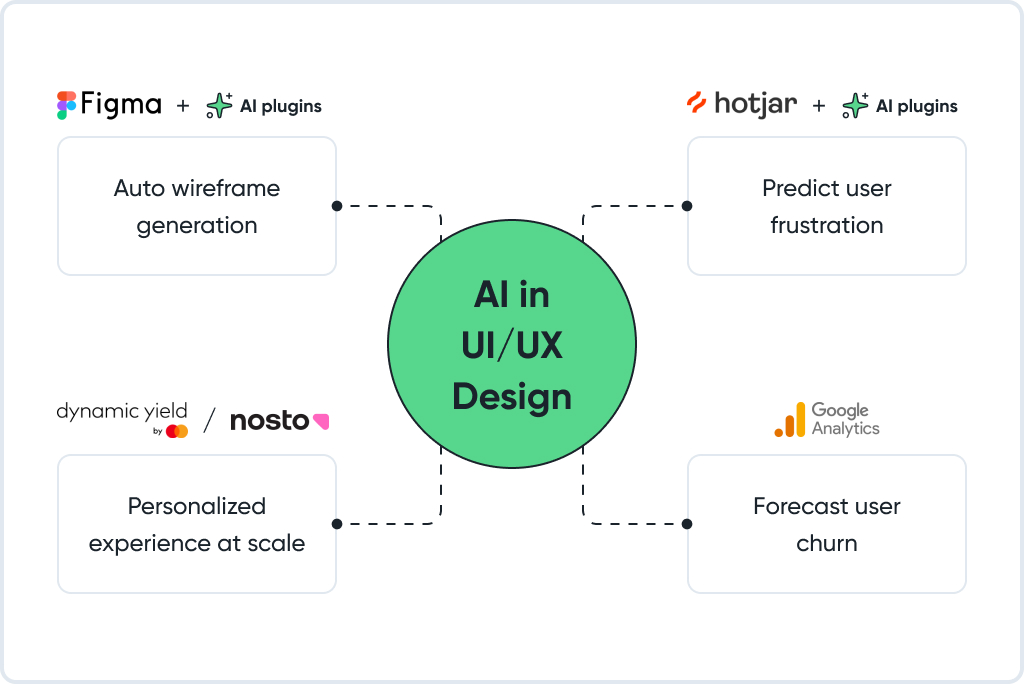
- Figma with AI plugins: describe a flow, and watch it spit out a usable wireframe in seconds.
- Hotjar + AI insights: instead of just showing you heatmaps, it predicts where users will get stuck next week.
- DynamicYield or Nosto: platforms built for how AI improves user engagement through personalized experiences at scale.
- GA4 + predictive analytics in UX: see churn risks before they happen and adjust accordingly.
Yet here’s the key insight: the best AI tools for UX designers aren’t only about speed. They also help eliminate what professionals call “design ego traps”, moments when designers defend layouts they personally prefer rather than those that perform best. With AI-backed testing, decisions shift from subjective opinion to objective, data-driven impact.
Predictive Analytics: From Guesswork to Precision
In the past, A/B testing often required weeks of waiting and hoping that the results would reveal something meaningful. With predictive analytics in UX, that uncertainty disappears. By feeding existing data into AI models, teams can forecast which design elements will perform best before a single user lands on the page.
Imagine launching a new checkout flow. AI can simulate interactions from thousands of real users, showing that moving the “Complete Order” button 40 pixels higher might increase conversions by 18 percent, while reducing form fields from eight to five could prevent 25 percent of cart drop-offs. This demonstrates how boosting conversion rates with AI transforms design from guesswork into measurable precision, saving time, optimizing user experience, and protecting revenue from risky experiments.
The Rise of Dynamic Interfaces
Your users are anything but static. They browse on buses, half-asleep at midnight, or during quick coffee breaks. Context constantly changes, and your interface must change with it. That’s why dynamic user interfaces AI technology has become such a powerful ally.
These systems respond in real time, for example by showing “Buy now, get it tomorrow” banners to late-night visitors or promoting rain jackets when weather data indicates storms in a shopper’s city. One outdoor apparel brand leveraged this approach to push winter gear when local temperatures dropped below freezing, resulting in a 30 percent increase in seasonal product sales without higher ad spend.

This is not personalization for its own sake; it’s situational relevance. It makes users feel that your site truly understands them, creating natural emotional alignment and making the act of purchasing feel effortless and inevitable.
Reducing Friction Without Losing Personality
Many brands fall into the same trap: removing so much friction that they accidentally remove their own identity as well. The goal isn’t to sterilize your brand but to make every interaction effortless while keeping its distinct character.
Artificial Intelligence (AI) can help find that balance. Automated UI design can recommend layouts that are clean and efficient but still feel “you”. Keep the playful microcopy in your cart. Keep the photography style that makes your product shine. Just cut the extra clicks, form fields, and clutter that make buying harder than it needs to be.
A simple test helps: can a first-time visitor reach checkout from the homepage in under two minutes without hesitation? If not, there is still friction left to remove.
How AI Improves User Engagement
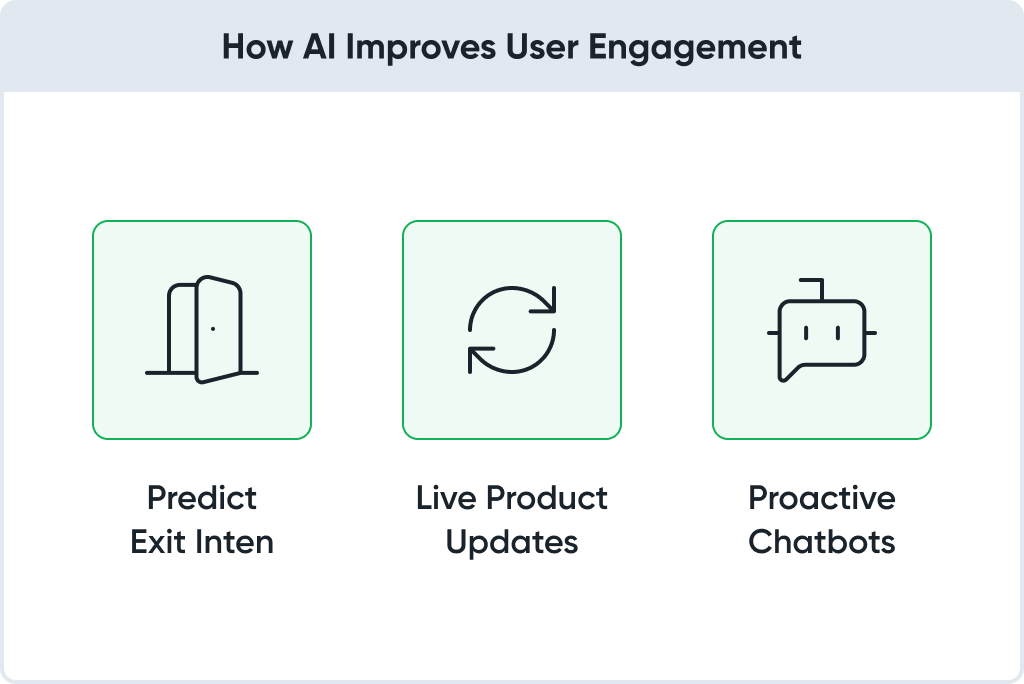
In e-commerce, engagement isn’t about likes or shares; it’s about how long customers stay, how far they explore, and whether they return. AI in UI/UX design amplifies engagement by anticipating user intent and creating adaptive experiences.
Here’s how AI in UI/UX design cranks up engagement:
- Spotting when someone’s about to leave and serving a last-chance incentive.
- Updating product recs live, based on what they’ve actually clicked in that session.
- Powering chatbots that predict questions instead of waiting for them.
Balancing Automation and Human Insight
AI can crunch the numbers, but it can’t feel the vibe. That’s where human designers still win. AI might reveal that mobile users are abandoning a particular page, but a designer notices that the call-to-action blends into the background image or that the tone of the copy feels inconsistent with the brand’s values.
Think of AI as your tireless analyst and your team as the creative directors. Real progress happens when these forces work together. If AI identifies the “what” and humans interpret the “why”, your design evolves into something more powerful: a seamless blend of logic and emotion that strengthens trust, deepens engagement, and helps consistently increase sales with AI UX strategies.
Increasing Sales with AI-Powered UX
This is about selling more, and doing it smarter. That is the essence of AI-powered user experience (UX). Here’s where you can genuinely increase sales with AI UX.
Here’s where you can genuinely increase sales with AI UX:
- Smart product discovery: no endless scrolling; AI serves exactly what they’re hunting for.
- Pricing optimization: adjusting in real time based on demand and competition.
- Personalized incentives: targeted discounts instead of across-the-board price cuts.
A footwear retailer once combined AI-driven search suggestions with dynamic pricing and recorded a 27 percent lift in revenue per visitor. The reason is simple: customers found what they wanted faster, and the offers felt timely rather than random.
Future-Proofing Your E-commerce Experience
Trends in digital commerce shift faster than you can redesign a homepage, but AI keeps your UX ahead of the curve by learning and adapting continuously. That might mean experimenting with augmented reality (AR) try-on features, introducing voice search as your next major upgrade, or using sentiment analysis to evaluate reviews and refine product messaging.
The point is that your e-commerce platform should evolve alongside your customers, not months after they have already changed their behavior. AI in UI/UX design provides the foundation for that agility, ensuring you remain relevant no matter how quickly user expectations move.
Conclusion
A decade ago, good UX meant a clean layout and a checkout that didn’t crash. Now? It’s about predicting needs, adapting instantly, and creating experiences that feel almost too good to leave.
AI in UI/UX design is the toolkit that makes that possible. The data is there. The tech is ready. The only real question is, are you?
FAQ
By automating personalization and anticipating user needs without requiring a large design or analytics team. Small businesses can access enterprise-level optimization at the speed of an independent brand.
Begin with product recommendations and checkout optimization. These are quick, measurable areas that deliver visible improvement early.
Yes. Overreliance can erode the personality that makes a brand memorable. Balance AI’s precision with human creativity to maintain authenticity.
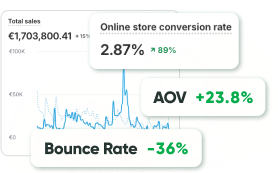
Track metrics such as conversion rate, average order value (AOV), bounce rate, and repeat-visit frequency before and after implementation.
Figma with AI plugins, Hotjar with predictive insights, DynamicYield, Nosto, and Google Analytics 4 (GA4) for analytics. These are reliable starting points before expanding your toolkit.
Absolutely. It detects friction points and resolves them instantly. Whether through shorter forms, faster checkout, or contextual free-shipping offers, even one optimized field can cut abandonment rates by double digits.
Focus on relevance over surveillance. Show umbrellas when it’s raining or promote faster delivery for late-night shoppers. Helpful personalization builds trust.
“Set and forget”. AI requires constant updates, fresh data, and human supervision. Neglecting it only automates outdated problems.
Yes. It optimizes layouts for thumb navigation, highlights bestsellers, and fine-tunes calls to action (CTAs). Even subtle interface adjustments have driven mobile conversion lifts of up to 11 percent.
Smaller improvements, such as search and checkout tweaks, can show results within days, while deeper optimization compounds over time through ongoing iteration.