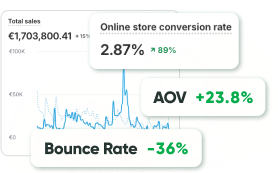
Bringing people to your site takes effort. You might run ads, share content, fix the design — and even then, it’s not guaranteed. But what really matters is what happens once they’re there. Do they actually do anything?
That’s where CRO comes in. Instead of constantly looking for new visitors, it helps you get more from the ones already there. It’s about fixing what confuses people and making the next step feel natural.
These days, that really matters. People bounce fast. If a site feels clunky or unclear, they’re out. CRO gives you a better shot at keeping them around — and showing them what to do next.
In short, superior conversions signify better outcomes from the traffic you already possess. That’s smart marketing — and it’s precisely what CRO is designed to furnish.
Key Steps to Develop an Effective CRO Strategy
Here are the most effective CRO implementation steps to help you build a structured and adaptable strategy.
Step 1: Start with Clear Goals and KPIs
First things first, what are you attempting to enhance?
Before running any tests or making changes, get specific about your goals. Do you want more signups? More purchases? Are fewer people dropping off during checkout?
Once you’ve nailed that down, define a few KPIs (key performance indicators) to track progress.
Think: conversion rate, average order value, bounce rate, or time on page. These metrics will help you stay focused and measure what’s working (and what’s *not*).
Step 2: Really Get to Know Your Users
You can’t improve the user experience if you don’t know how people actually behave on your site. This is where user behavior analysis CRO comes in.
Start by checking tools like Hotjar, Crazy Egg, or session replays. They’ll show you where people click, where they stop, or where they just leave. It can be surprising — what you expect them to do isn’t always what they’re actually doing.
Watch recordings, look at heatmaps, and run quick polls. Ask yourself: What’s confusing?
What’s distracting? What’s missing? These insights will guide the modifications that truly matter.
Step 3: Map the Customer Journey and Spot the Drop-Offs
Every person who lands on your site is on a journey — from landing to clicking to (hopefully) converting. The smoother that path is, the better your results.
Take time to trace that journey: Where are users landing? How many steps does it take to convert? Where are people dropping off?
Maybe it’s a long-form that turns people away. Or perhaps your CTA is buried too far down the page. Once you find those friction points, you can begin removing them — step by step.
Step 4: Think of Changes Worth Testing
Here’s where you get to be creative.
Look at what you’ve found so far and ask yourself — what could make things better for users? Maybe the form is too long. Maybe the headline feels flat. Or maybe that button needs to be in a different spot.
You don’t need perfect ideas, just ones that make sense based on what you’ve seen. Keep it simple and specific. For example:
“If we make the product images bigger, people might feel more confident and click ‘add to cart’ more often.”
That’s all a good hypothesis needs — a clear change and a reason behind it.
Step 5: Prioritize the Changes That Matter Most
Let’s be real: you can’t fix everything all at once. That’s why prioritization matters.
Look at your ideas and ask:
- How easy is this to implement?
- How likely is it to make a big difference?
- How confident are we, based on data?
Begin with the quick wins — changes that are easy to make but could have a noticeable impact. Those early results can give you momentum and buy-in for larger projects later on.
Common CRO Mistakes to Avoid for Better Results
Here are a few common pitfalls that even seasoned teams fall into, and some straightforward website optimization tips to keep your CRO journey smooth and stress-free.
Mistake #1: Forgetting About Mobile
We all design on desktops. But your users? They’re probably browsing on their phones, often while multitasking, partially paying attention, or using one hand.
If your site’s difficult to read, slow to load, or irritating to scroll on mobile, people won’t stay around.
Quick tip: Always test mobile first. Ensure your site loads fast, buttons are thumb-friendly, and forms don’t make users want to give up midway.
Mistake #2: Guessing Instead of Listening to the Data
It’s so tempting to say, “I think users will love this layout,” or “I feel that this CTA will work better.” However, the truth is — what feels right isn’t always what works.
Quick tip: Look at how people actually behave. Use heatmaps, scroll maps, and A/B tests. That’s the power of real user behavior analysis, you stop guessing and begin understanding. And that’s what makes CRO strategies actually work.
Mistake #3: Changing Everything All at Once
We get it — once you start optimizing, it’s hard to stop. You want to fix everything. But if you change five things at once and conversions go up… which modification helped?
Quick tip: Test one thing at a time. Small experiments = clear answers. You’ll learn quicker and feel more assured about what’s worth scaling.
Mistake #4: Ignoring Speed and the Overall Experience
The design might look slick, but if your site takes forever to load or feels clunky, people bounce. Fast. No one enjoys waiting, or pondering where to click next.
Quick tip: Use CRO tools for website optimization like PageSpeed Insights. Cut the clutter. Make things obvious. A smooth experience builds trust, and trust leads to conversions.
Tools and Techniques for Measuring and Improving Conversions
Earlier, we talked about tools in passing — but now let’s take a closer look. When it comes to conversion rate optimization, the tools and techniques you choose can make all the difference between random guessing and real, measurable progress.
The right setup helps you spot what’s working, what’s not, and what’s worth testing next. Let’s walk through a few that should be part of any serious CRO strategy.
Best Tools for CRO
You don’t need dozens of platforms to start seeing results, but you do need a few that give you visibility into how users behave and how your site performs.
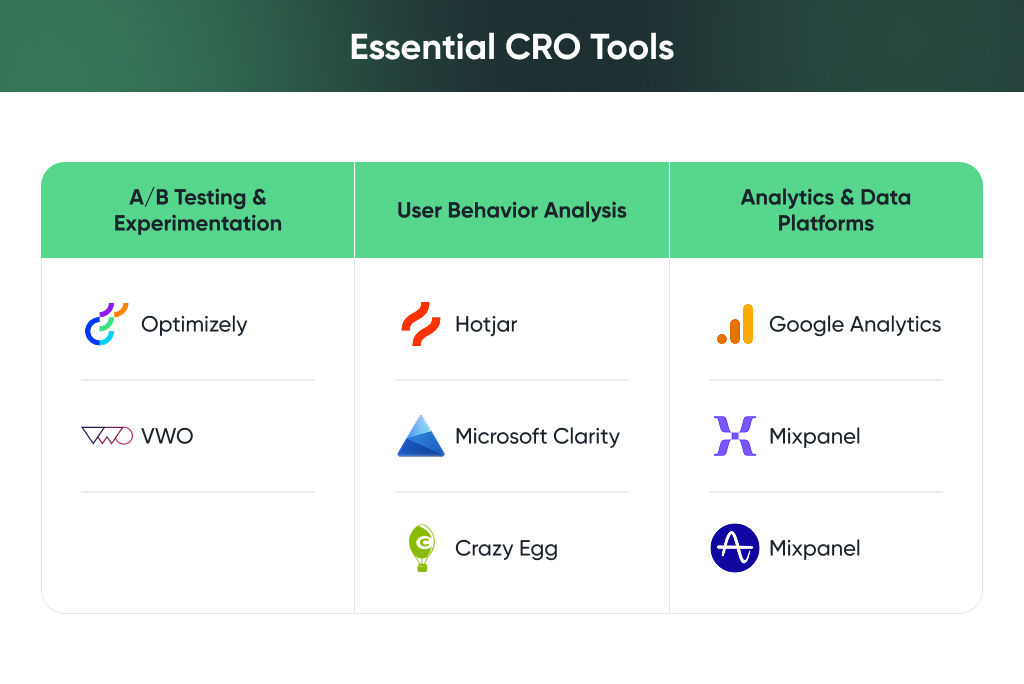
Here are some go-to CRO tools for website optimization:
- Hotjar – lets you see how people actually use your site with heatmaps, scroll tracking, and live session recordings.
- Optimizely – perfect for bigger teams looking to scale experimentation.
- Microsoft Clarity, Crazy Egg, VWO – other strong options depending on your needs and budget.
Each of these helps you dig into user behavior and make smarter, faster decisions.
A/B Testing for CRO: What to Test and How
One of the best ways to improve your site is to test two versions of something and see which one works better. That’s the power of A/B testing for CRO.
You don’t have to start big. Try testing things like:
- Headlines or product titles
- Call-to-action buttons (size, color, wording, placement)
- Layout changes or form fields
- Images, trust badges, pricing layouts
The trick? Only change one thing at a time so you know exactly what’s moving the needle. And give your test enough traffic and time to get reliable results. It’s not about guessing — it’s about learning.
Making Sense of the Data
Collecting data is one thing. Knowing what to do with it? That’s where the magic happens.
Use tools like Google Analytics, Mixpanel, or Amplitude to track how visitors move through your site, where they drop off, and what keeps them engaged.
Look for:
- Pages with high bounce rates
- Funnels with the biggest drop-offs
- Which devices or traffic sources convert best
- How long do people stay, and how far do they scroll
The more you understand your audience, the better your decisions will be. That’s what data-driven CRO techniques are really all about: listening to what the numbers (and users) are telling you, and making meaningful changes based on that.
CRO for Ecommerce Websites: Practical Tips
Running an online store means constantly balancing two things: getting people to your site and making sure they actually buy something once they’re there. That second part? That’s where CRO for ecommerce websites really proves its value.
Conversion Rate Optimization isn’t about making massive changes overnight, it’s about small, thoughtful tweaks that help real people feel confident enough to hit “Buy now.” Here are some practical ways to make that happen and gently increase your conversion rate.
Make Shopping Easy, Not Frustrating
Let’s start with the basics, product pages and checkout flows. Your product page is where a decision gets made, so it needs to be clear, clean, and helpful. Good photos, simple descriptions, visible pricing, and sizing info aren’t “nice-to-haves” — they’re essential.
Then there’s checkout. If it feels like a chore, people will leave. Keep it short, skip the forced account creation, and remove anything that adds friction. A smooth, intuitive checkout is one of the easiest ways to increase conversion rate, and it doesn’t take a full redesign to get there.
Use Gentle Urgency & Build Trust
We’ve all seen pushy sales tactics, but there’s a better way. A little urgency, done right, can help users make a decision without feeling pressured. Messages like “Low stock” or “Offer ends soon” can nudge someone toward action, especially if they’re already interested.
But urgency only works if people trust you. So, make that trust visible: show customer reviews, return policies, secure checkout badges, and real photos if you have them. Trust is the quiet driver behind almost every successful CRO for ecommerce website strategy.
Tracking Success and Iterating
After running a few tests and making changes, the next step matters just as much, maybe even more. Real growth through conversion rate optimization comes from consistently reviewing what worked, what didn’t, and what to improve next.
Long-term results come from steady progress, not one-time wins. Among the most effective CRO implementation steps is building a process for ongoing tracking, learning, and iteration.
Focus on Metrics That Matter
Plenty of numbers are available, but not all of them help. Focus on data that shows user behavior and impact. These include:
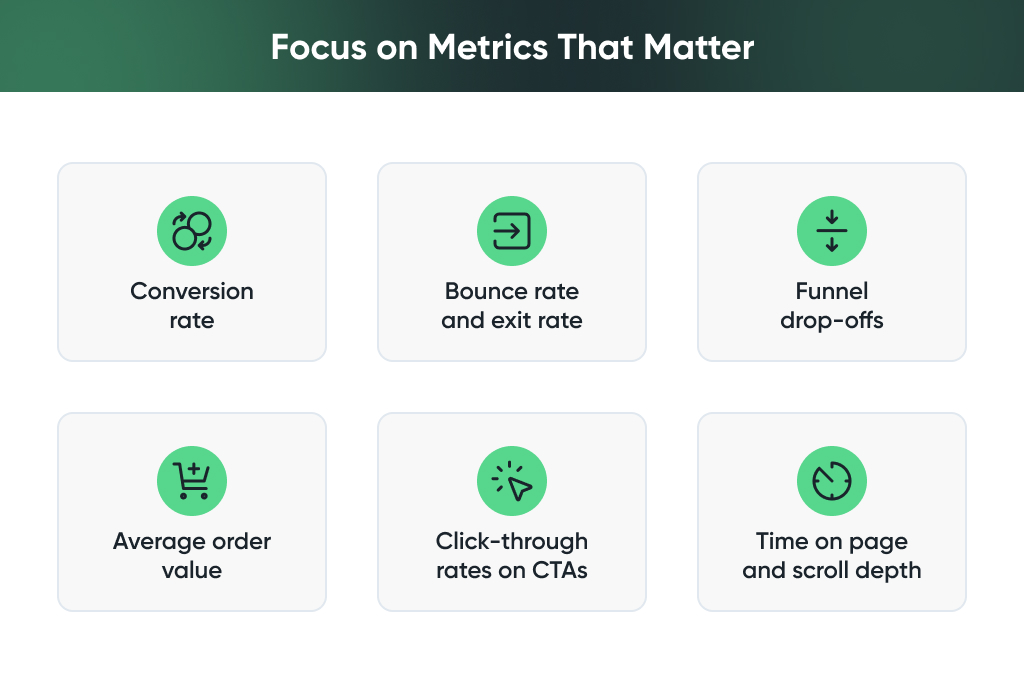
These metrics reveal how people move through the site and where friction slows them down. Understanding these patterns is key to successful conversion rate optimization.
Build a Repeatable Optimization Cycle
One successful test offers valuable insight, but progress depends on what comes after. High-performing teams approach CRO with a continuous mindset.
Follow this cycle:
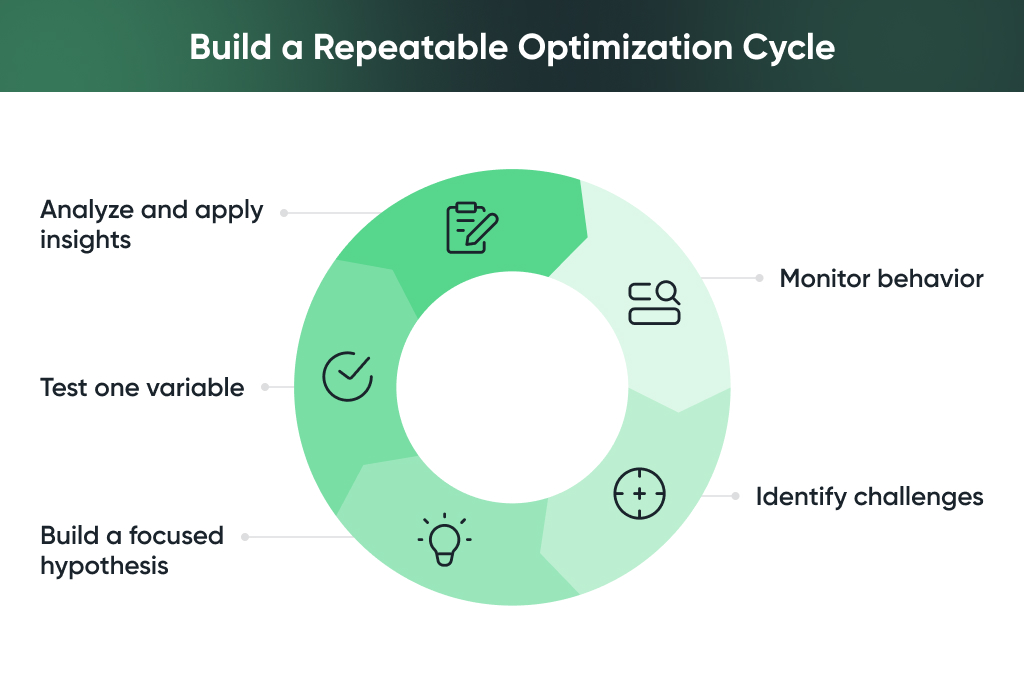
Repeating this loop allows your website to grow with your users and stay aligned with their needs.
Scale What Works
A positive result from one experiment can guide improvements elsewhere. Apply proven ideas across other pages, customer segments, or parts of the funnel.
This approach transforms individual learning into a broader impact. Among the most effective CRO implementation steps is recognizing repeatable patterns and using them to create scalable, sustainable changes.
Final Thoughts
The most effective ecommerce teams treat CRO as a long-term habit. They explore what’s working, stay curious about what’s not, and build a culture of ongoing improvement. Over time, this creates websites that feel natural to use and convert consistently.
At GoMage, we work with brands that want more than temporary wins. We help turn traffic into lasting growth through strategy, smart testing, and tools that give real insight. Whether you need help setting up your first experiment or scaling successful ideas across your store, we’re ready to support you.
FAQ
CRO stands for conversion rate optimization. In simple terms, it helps you get more people to take action on your site. That could be making a purchase, signing up, or sending a message. Instead of only bringing in more traffic, CRO focuses on making your site work better for the people already visiting it.
Not really. You don’t have to start over. A lot of the time, small things make a big difference. Maybe your button isn’t clear enough. Maybe your form is too long. Even a tiny fix can help more people complete what they came to do.
Try watching how people use your site. Tools like heatmaps or session replays can help. You’ll see where folks click, where they stop, and where they leave. If something feels confusing or clunky, that’s probably where to begin. Don’t overthink it, just test one idea and go from there.
Some good ones are:
• Hotjar – shows you where people click and how far they scroll
• Google Optimize – easy for running simple A/B tests
• Microsoft Clarity – great for watching real user sessions
• VWO – helpful if you want to test deeper things later on
You don’t need all of them. Just pick one or two and explore.
Start small. A headline. A button. Maybe a photo. Don’t change too much at once, or you won’t know what worked. Test one thing. See what happens. Learn. Repeat.
Yeah, a little. If you run an ecommerce site, you’ll want to focus more on product pages, reviews, and the checkout process. Even one extra step in checkout can make someone leave. The smoother it feels, the better your chances.
Just check in with your site now and then. Ask yourself, “Where do people fall off?” or “What’s not clear here?” Run a test once in a while. Share what you find with your team. Over time, this becomes second nature, and your site keeps getting better without needing a full rebuild.