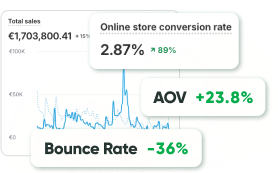
A slow Magento store quietly costs you money.
Studies have linked even a 100-millisecond delay to a roughly 7% drop in conversions, and a page that takes three seconds instead of one can see bounce rates climb by around a third. Speed isn’t a vanity metric, it directly shapes SEO, user experience, and revenue.
The good news: most Magento performance problems come from a handful of predictable causes, and you can fix the majority of them.
This guide walks through 20+ proven Magento speed optimization techniques, organized by where they live in your stack, plus how to know when it’s time to bring in specialists.
In this guide, you’ll learn:
- Why Magento speed optimization matters for revenue and SEO
- The real reasons Magento stores slow down
- How to test your Magento speed and Core Web Vitals
- 20+ optimization tips across server, caching, frontend, and database
- A quick-wins table ranked by impact
- When to optimize yourself and when to hire experts
Why Does Magento Speed Optimization Matter?
Site speed touches almost every metric that drives ecommerce ROI: conversion rate, bounce rate, average order value, and search rankings.
A few figures make the stakes clear. Google has reported that a half-second delay can cut traffic by around 20%, large retailers lose a measurable share of sales for every 100ms of latency, and a site loading in one second can convert several times better than one loading in five.
Search engines also factor page experience and Core Web Vitals into rankings, so a faster store tends to rank higher and convert better, compounding the benefit. It’s part of any serious SEO strategy.
Why Is Magento Slow?
Magento (Adobe Commerce) is fast with sample data. It slows down as real stores add catalog, traffic, customizations, and third-party modules. The usual culprits:
- Inadequate hosting. Shared or under-resourced hosting can’t keep up as you scale. Magento has real server requirements, and starving it of RAM, CPU, or a tuned stack shows up immediately in response times.
- Poorly configured caching. Caching offloads expensive work from the server. When it’s misconfigured or left disabled after development, every request regenerates pages from scratch.
- “Code-stuffed” themes and extensions. Bloated themes and too many modules pile on JavaScript, CSS, and conflicts. On a heavy Luma frontend especially, this overhead is often the single biggest drag.
- Unoptimized code and database. Custom code, unindexed data, and bloated logs all add latency.
Pro Tip: before chasing micro-optimizations, identify which of these is your bottleneck.
How Do You Test Magento Speed?
Start by measuring, so you optimize the right things. The standard free tools are Google PageSpeed Insights and GTmetrix, which give you a performance score plus prioritized recommendations.
Pay attention to Core Web Vitals, not just the headline score:
- LCP (Largest Contentful Paint) — how fast the main content loads.
- CLS (Cumulative Layout Shift) — how much the layout jumps as it loads.
- INP (Interaction to Next Paint) — how responsive the page feels.
A point worth stressing: raw load time is only part of the modern score. Layout stability (CLS) and interactivity now carry real weight, so a store that “loads fast” but shifts around or feels janky can still score poorly.
Test on mobile first, that’s where most stores struggle and where Google’s ranking signals matter most.
Server and Hosting Optimization
Backend and server work often delivers the biggest gains for the least front-end risk.
- Choose the right hosting. Magento needs adequate RAM, SSD storage, and a properly tuned stack (NGINX, PHP-FPM, Redis). Managed Magento hosting or a well-configured VPS beats cheap shared hosting every time.
- Turn on production mode. Production is the fastest of Magento’s three modes and should always be live in production. Check and set it:
php bin/magento deploy:mode:show php bin/magento deploy:mode:set production
- Use HTTP/2 or HTTP/3. Newer protocols load multiple files over a single connection instead of opening one per file, cutting latency. Enable via your web server or CDN, and add Brotli/GZip compression alongside.
- Enable GZip (or Brotli) compression. Compressing HTML, CSS, JS, and fonts before they’re sent reduces bandwidth and speeds delivery. Configure it in your server config (.htaccess for Apache, or NGINX directives).
- Tune your PHP configuration. Adjust memory_limit, max_execution_time, and related values, and make sure OPcache is enabled to cache precompiled bytecode.
- Optimize TTFB (Time to First Byte). Aim for under ~800ms. High TTFB usually points to hosting, caching, or code issues, use Magento’s profiler to find the slowest processes:
bin/magento dev:profiler:enable
Caching: The Biggest Single Lever
If you do nothing else, get caching right.
- Enable all Magento caches. A frequent mistake: caches disabled during development and never re-enabled. Check under System > Cache Management and enable everything.
- Use Full-Page Cache (FPC). Magento’s built-in FPC serves cached HTML so the server doesn’t regenerate pages on every request, ideal for category and product pages.
- Implement Varnish. Varnish is the Magento-recommended HTTP accelerator and far outperforms the built-in FPC for content-heavy stores. It serves cached pages straight from memory. Add cache warming so key pages are pre-loaded before users hit them.
- Configure Redis. Use Redis for session storage and block/object caching. Its in-memory model gives fast, low-latency access without constant disk reads.
- Set expire headers. Tell browsers to cache static assets (images, CSS, JS) so returning visitors don’t re-download them, fewer requests, faster loads.

Frontend Optimization
The frontend is where users feel speed, and where a bloated theme does the most damage.
- Fix the theme first (Luma vs Hyvä). A heavy Luma theme carries enormous frontend overhead. For many stores, the highest-impact move isn’t another tweak, it’s migrating to a lean theme like Hyvä, which strips out the legacy bloat and consistently outperforms optimized Luma builds.
- Optimize images. Images are usually the heaviest assets. Resize source files to the size actually displayed, compress them, and serve next-gen formats. Converting to WebP can cut file size by 25–35% with little quality loss.
- Lazy-load images. Load images only as users scroll to them, and preload your LCP (hero) image so the main content paints fast.
- Minify CSS and JavaScript. Remove comments and whitespace so browsers parse files faster (Stores > Configuration > Advanced > Developer).
- Be careful with JS bundling. Magento’s native JS bundling often hurts more than it helps, it can force the browser to download large bundles on every page. Test whether it actually improves your scores; if not, disable it and use advanced bundling (split by page type) or move to Hyvä, which sidesteps the problem entirely.
- Use critical CSS and defer non-critical assets. Load above-the-fold CSS first, defer the rest, and move non-essential JS to the footer so content renders before scripts run.
- Reduce layout shift (CLS). Set explicit dimensions on images and reserve space for dynamic elements so the page doesn’t jump as it loads.
- Use a CDN. A content delivery network serves static assets (images, CSS, JS) from servers near each user, essential if you sell across regions.
Database and Indexing Optimization
- Set indexers to “Update on Schedule.” Running indexers on save consumes resources during peak traffic. Schedule them via cron to run during quiet periods (System > Index Management), and reindex when data looks stale:
php bin/magento indexer:reindex
- Avoid flat catalogs (Magento 2.3+). Once a performance trick, flat catalogs now cause indexing and dependency issues on modern Magento. Leave them disabled.
- Use Elasticsearch / OpenSearch. A dedicated search engine returns results without scanning the whole database, dramatically faster catalog and search pages. It’s enabled by default on Magento 2.4.x.
- Clean database logs. Magento accumulates large log tables over time. Periodically clean them (back up first) to keep queries fast and the database lean.
Magento Speed Optimization: Quick Wins by Impact
If you want the biggest gains first, start here:
| Optimization | Impact | Effort |
| Enable Varnish + all caches | Very high | Low–medium |
| Right hosting + production mode | Very high | Medium |
| Optimize & WebP-convert images | High | Low |
| Fix/replace bloated theme (Hyvä) | Very high | High |
| Redis for sessions & blocks | High | Medium |
| Lazy-load + preload LCP image | High | Low |
| HTTP/2-3 + GZip/Brotli | Medium–high | Low |
| Indexers on schedule (cron) | Medium | Low |
| Minify CSS/JS + defer non-critical | Medium | Low–medium |
| Elasticsearch / OpenSearch | Medium | Low |
The pattern most practitioners agree on: caching and hosting fix the backend, the theme fixes the frontend, and everything else is fine-tuning on top.
Should You Optimize Magento Yourself or Hire Experts?
Many of these tips, enabling caches, optimizing images, scheduling indexers, you can do yourself in a weekend, and they’ll move the needle. PageSpeed Insights will flag most of them for you.
But some issues live deeper: server tuning, Varnish configuration, code-level bottlenecks, a TTFB problem that won’t budge, or a theme so bloated that no amount of tweaking helps.
These usually need a developer who understands Magento’s architecture, and getting them wrong (misconfigured Varnish, broken bundling) can make things slower, not faster.
This is exactly where a specialist Magento partner pays for itself: a quick audit often reveals that the real issue was cache or code, not the thing you were about to spend weeks on.
Bottom Line
Magento speed optimization isn’t one big fix, it’s a stack of them.
Start by measuring with PageSpeed Insights and Core Web Vitals, then work the layers that matter most: solid hosting and production mode, aggressive caching with Varnish and Redis, a lean frontend (often Hyvä over Luma), optimized images, and well-managed indexing.
Tackle the high-impact, low-effort wins first, caching, images, hosting, and you’ll see results quickly.
For the deeper, code- and server-level problems, an experienced Magento team can find the real bottleneck fast and keep your store fast for the long run.
FAQ
The most common causes are inadequate hosting, misconfigured or disabled caching, a bloated theme and too many extensions, and unoptimized code or database tables. Magento is fast by default; the slowdown almost always comes from what’s added on top.
Use Google PageSpeed Insights and GTmetrix for a performance score and prioritized fixes, and watch your Core Web Vitals (LCP, CLS, INP). Always test on mobile, since that’s where most stores underperform and where ranking signals matter most.
The highest-impact quick wins are enabling all caches plus Varnish, moving to properly resourced hosting in production mode, and optimizing and WebP-converting images. These usually deliver the biggest improvement for the least effort.
Generally, yes. The default Luma theme carries heavy frontend overhead, and for many stores migrating to a lean theme like Hyvä outperforms even a heavily optimized Luma build. It’s often the single biggest frontend improvement available.
Be cautious. Magento’s native JS bundling often hurts performance by forcing large downloads on every page. Test whether it actually improves your scores; if not, use advanced bundling (split by page type) or move to Hyvä, which avoids the issue.
Aim for a Time to First Byte under roughly 800ms and a total load time under about 3 seconds, with strong Core Web Vitals. Faster is always better, but those thresholds are a solid baseline for SEO and conversions.
Do the straightforward wins (caches, images, indexers) yourself. Bring in a Magento specialist for server tuning, Varnish/Redis configuration, code-level bottlenecks, or theme problems, where mistakes can backfire and expert diagnosis saves significant time.